 FieldCamp
Products & Services Overview | FieldCamp
Understand how products and services work in FieldCamp. Build your price book, add line items to jobs, estimates, and invoices, and enable online booking.
Under the hood — see how Price Book items work in the FieldCamp data model: the fields they hold, how they connect to your other records, and how to customize them.
What Are Products and Services?
Products and services are the things your business sells and does. In FieldCamp, every line item on a job, estimate, or invoice comes from your products and services list.
- Products are physical items you sell or use on jobs — AC filters, thermostats, copper pipes, replacement parts.
- Services are the labor and work you provide — HVAC repair, electrical installation, plumbing inspection, maintenance visits.
Together, they form your price book — a complete catalog of everything your business offers, with pricing, descriptions, and categories already set up so your team can add them to jobs in seconds.
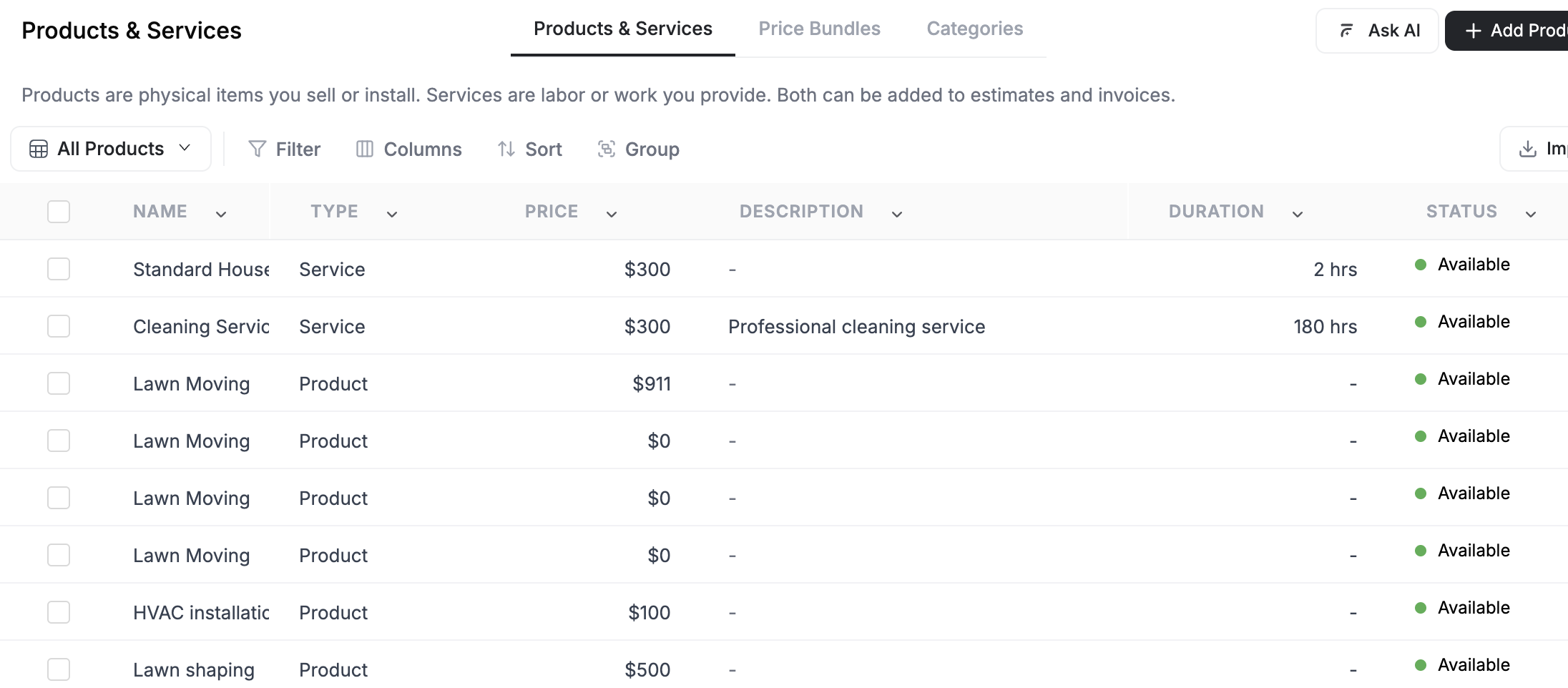
How Products and Services Connect to Everything
Products and services are not standalone. They tie into every part of your workflow:
| Where they appear | What happens |
|---|---|
| Jobs | Add line items to define what work is being done and what parts are needed |
| Estimates | Build quotes with accurate pricing pulled from your price book |
| Invoices | Bill customers with the same items used on the job |
| Online booking | Let customers select and book services from your website |
| Inventory | Track stock levels for physical products across warehouse locations |
| Purchase orders | Reorder products from vendors when stock runs low |
The AI-First Way
The fastest way to manage products and services is through the Command Centre. Just tell the AI what you need:
- "Add a new service called AC Tune-Up, $150, 1 hour"
- "Create a product for 16x25x1 AC Filter, $25 each"
- "Show me all HVAC services"
- "How many AC filters do we have in stock?"
The AI creates the item, sets the price, and files it in the right category. No forms, no clicking through tabs.
You can also use the AI Skills slash commands. Type /newjob and mention the services you need — the AI adds them as line items automatically.
What You Can Do With Products and Services
FieldCamp gives you a full toolkit for managing your catalog:
| Capability | What it does |
|---|---|
| Create and manage items | Add products and services with pricing, duration, SKU, and tax |
| Organize with categories | Group items into categories like HVAC, Plumbing, or Electrical |
| Build bundles | Package multiple items into a single sellable unit with bundle pricing |
| Track inventory | Monitor stock levels, set low-stock alerts, transfer between locations |
| Manage vendors | Keep supplier details and create purchase orders for restocking |
| Enable online booking | Let customers book services from your website with images and forms |
Getting Started
If you are setting up your price book for the first time, here is the recommended order:
- Create your categories — Set up groups like HVAC, Plumbing, Electrical so you have a structure ready. See Categories and Organization.
- Add your services — Start with the services you perform most often. See Managing Products and Services.
- Add your products — Add the parts and materials you use on jobs.
- Build bundles — Package common combinations into bundles for faster quoting. See Price Book and Bundles.
- Set up inventory — Enable stock tracking for physical products. See Inventory Management.
- Enable online booking — Make your top services bookable from your website. See Products for Online Booking.
You do not need to complete all six steps on day one. Most businesses start with services and products, then add categories and bundles as their catalog grows.
Related Articles
- Managing Products and Services — create, edit, and archive items in your catalog
- Categories and Organization — group items by trade for faster quoting
- Price Book and Bundles — package items together with discounted pricing
- Inventory Management — track stock levels and set low-stock alerts
- Products for Online Booking — enable services on your booking page
Auto-Pay & Recurring Payments | FieldCamp
How the Automatic Payment setting on a recurring job works in FieldCamp, and why no card is ever charged on your billing schedule.
Managing Products & Services | FieldCamp
Create and maintain products and services in FieldCamp, including fixed or hourly pricing, billing rules, zone prices, taxes, and inventory tracking settings.