 FieldCamp
Never Miss a Suggestion | AI Dispatcher
Plan Review auto-approves safe dispatch suggestions so they do not pile up. Stale Work Detector catches jobs stuck in pending, suggestions nobody acted on, and rejected visits that were never re-dispatched.
The Pile-Up Problem
AI Dispatcher generates suggestions fast. The problem is not getting recommendations — it is keeping up with them. After a dispatch run, you might have 15 suggestions waiting for review. By the time you finish reviewing, another run has added 10 more. Meanwhile, some jobs have been sitting in "pending" for two days because nobody noticed.
Two agents solve this: Plan Review clears the safe suggestions automatically so you only review the hard ones. Stale Work Detector catches anything that fell through the cracks.
Plan Review Agent
What It Does
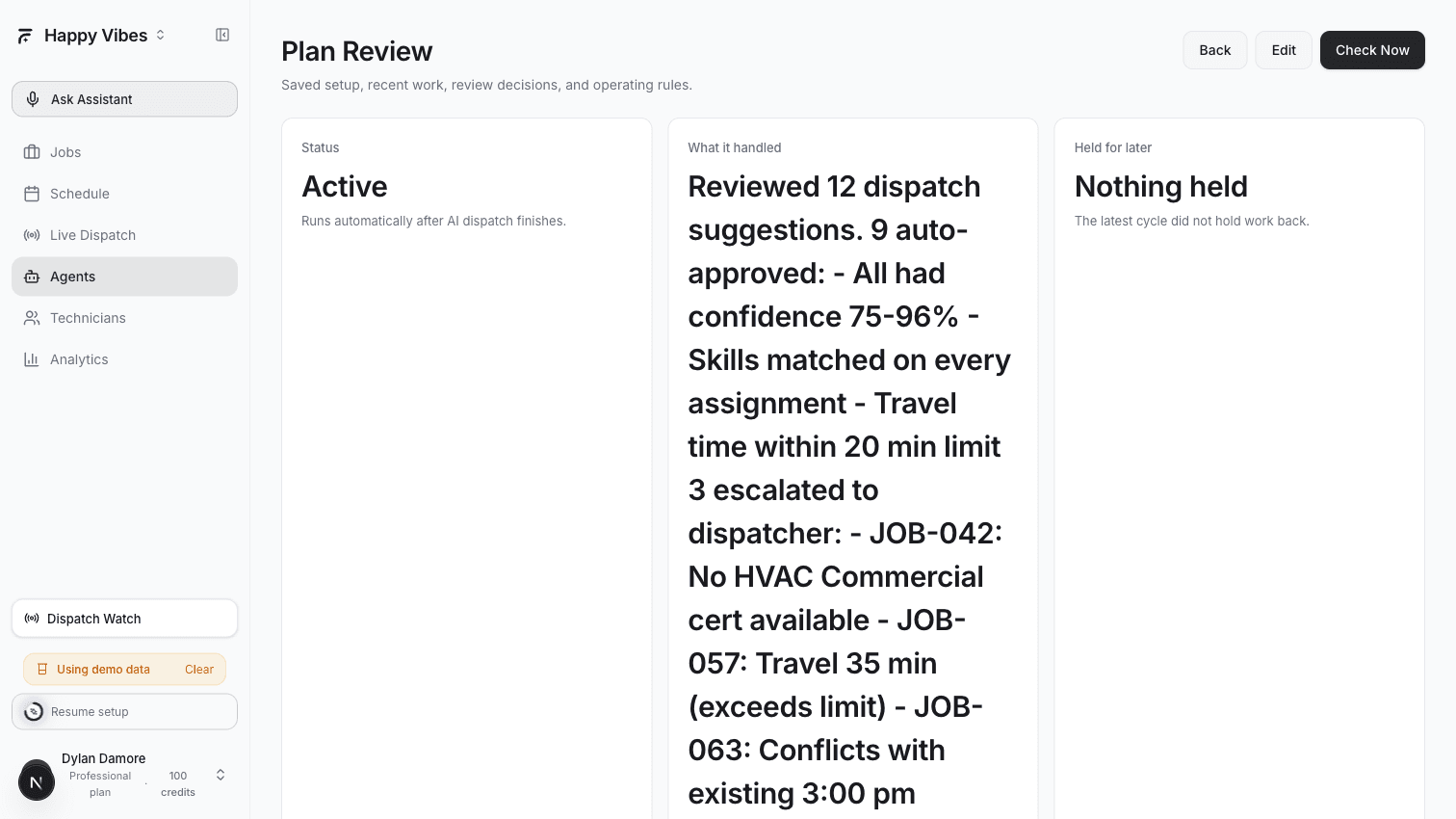
Plan Review runs after every dispatch cycle completes. It looks at each new suggestion and checks whether it is safe to approve automatically:
- Does the technician have the required skills? → Must be yes
- Is the confidence score above your threshold? → Must be yes
- Is the extra travel time reasonable? → Must be within your limit
- Are there any schedule conflicts? → Must be none
Suggestions that pass all checks get auto-approved. Anything uncertain gets escalated to you.
When It Activates
Plan Review triggers on a DISPATCH_COMPLETED event — the moment an AI dispatch run finishes generating suggestions.
Setting It Up
- Go to Agents > Playbooks
- Find the Plan Review Agent card and click Select
- Configure:
| Setting | What It Does | Recommended |
|---|---|---|
| Confidence threshold | Minimum score to auto-approve (0-100) | 70 |
| Require skills match | Only auto-approve if skills match perfectly | Yes |
| Max travel delta | Maximum extra drive time vs optimal route | 20 minutes |
| Review limit | Max suggestions to process per run | 80 |
- Save as Draft, monitor for a week, then switch to Active
What You See
After Plan Review runs, you will find:
- Auto-approved items — These move directly to your confirmed schedule. You can see them in the run history with the reason each was approved.
- Escalated items — These appear in the Dispatch Watch panel with a clear reason: "Skills mismatch", "Low confidence (52%)", "Travel time 35 min over limit"
Plan Review saves the most time when paired with Dispatch Run or Autopilot. If Dispatch Run generates 20 suggestions every 15 minutes, Plan Review processes them immediately so the board never piles up.
Stale Work Detector
What It Does
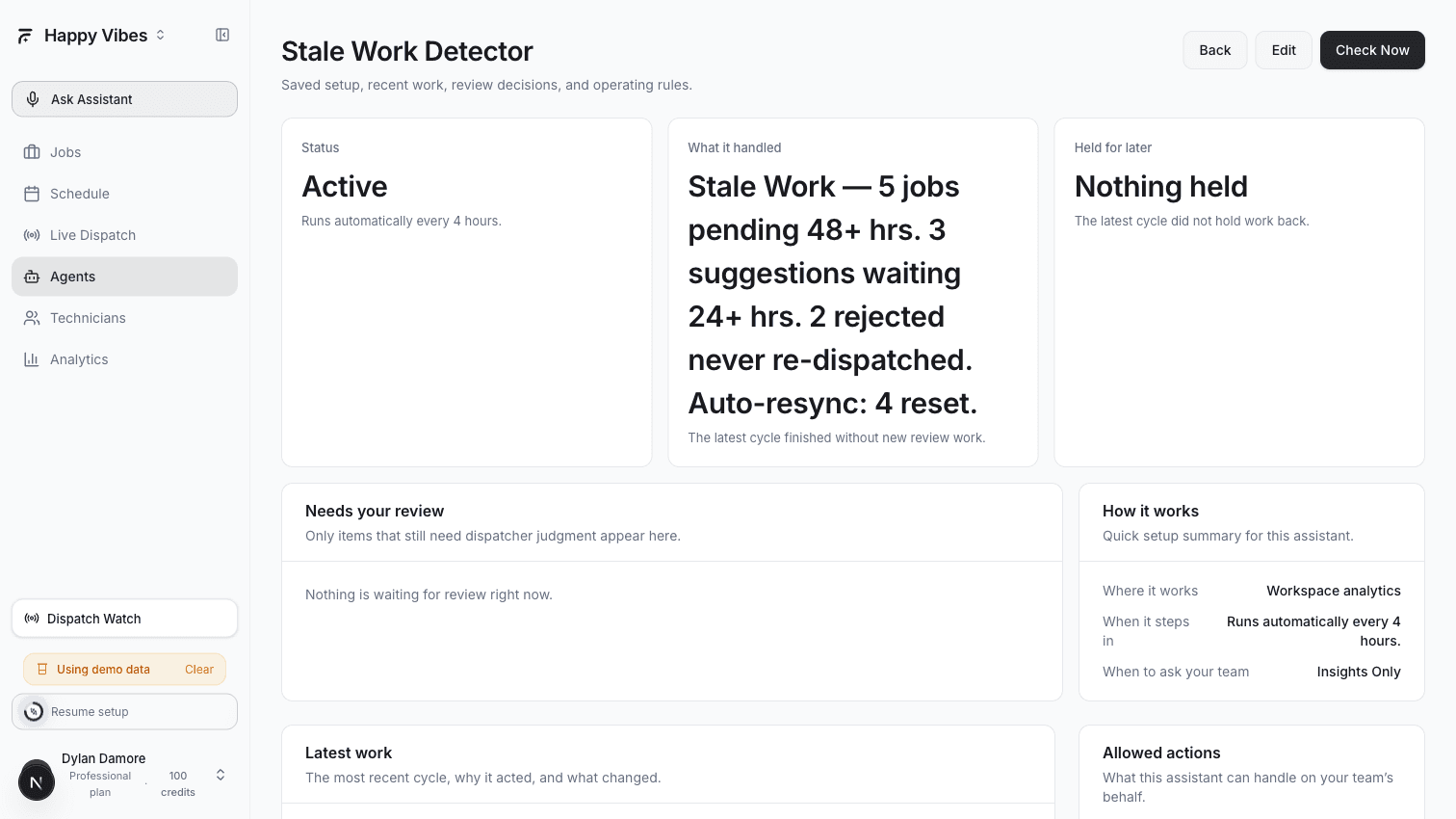
Stale Work Detector runs on a schedule (default: every 4 hours) and scans your entire dispatch pipeline for work items that are stuck or forgotten:
| What It Finds | How Old | Why It Matters |
|---|---|---|
| Pending jobs | 48+ hours without assignment | These jobs are aging out — customer may have already called to complain |
| Unreviewed suggestions | 24+ hours without a decision | AI did the work, nobody acted on it |
| Rejected visits | Never re-dispatched | Someone rejected the suggestion but did not reassign the job |
| Unassigned visits | No follow-up action | AI could not find a match and nobody addressed it |
Setting It Up
- Go to Agents > Playbooks
- Find the Stale Work Detector card and click Select
- Configure:
| Setting | What It Does | Recommended |
|---|---|---|
| Schedule interval | How often it scans for stale work | Every 4 hours (240 minutes) |
| Auto-resync | Automatically reset rejected and unassigned jobs so they can be re-dispatched | Yes |
- Save and activate
What You See
After each run, the agent produces a summary:
- "5 jobs pending for 48+ hours" with specific job numbers
- "3 AI suggestions waiting 24+ hours with no decision"
- "2 rejected visits never re-dispatched"
- If auto-resync is on: "Reset 4 jobs to pending for re-dispatch"
The summary appears in the agent's run history. If anything critical is found, it also appears in the Dispatch Watch panel.
Auto-resync is one of the most useful features. When a suggestion is rejected but nobody reassigns the job, it stays in limbo forever. Auto-resync puts it back in the queue so the next dispatch run picks it up.
Using Both Together
Plan Review and Stale Work Detector handle opposite ends of the same problem:
- Plan Review keeps the front of the pipeline moving — suggestions get processed as they arrive
- Stale Work Detector catches anything that slipped through — the jobs that somehow ended up in no-man's-land
Together, they mean nothing sits unattended for more than a few hours.
Recommended setup:
- Enable Plan Review with auto-approve on
- Enable Stale Work Detector with auto-resync on
- Check the Dispatch Watch panel once or twice a day for escalated items
Plan Requirements
| Plan | Plan Review | Stale Work Detector |
|---|---|---|
| Free | Not available | Not available |
| Starter | Not available | Yes (as OPS_ANALYST) |
| Professional | Yes | Yes |
| Enterprise | Yes | Yes |
Related Articles
Handle Late Jobs and Cancellations | AI Dispatcher
When a technician runs late or a customer cancels, the Dispatch Recovery and Gap Filler agents detect the disruption and recommend the best recovery move automatically.
Daily Insights and Forecasting | AI Dispatcher
Get end-of-day audits, tomorrow's capacity forecast, and recurring operational summaries — without running reports or scanning multiple screens.