 FieldCamp
Which Agent Is Right for You?
Find the right AI dispatch agent for your operation. Match your biggest scheduling pain point to the agent that solves it — from fully autonomous dispatch to end-of-day audits.
Find the Right Agent for Your Operation
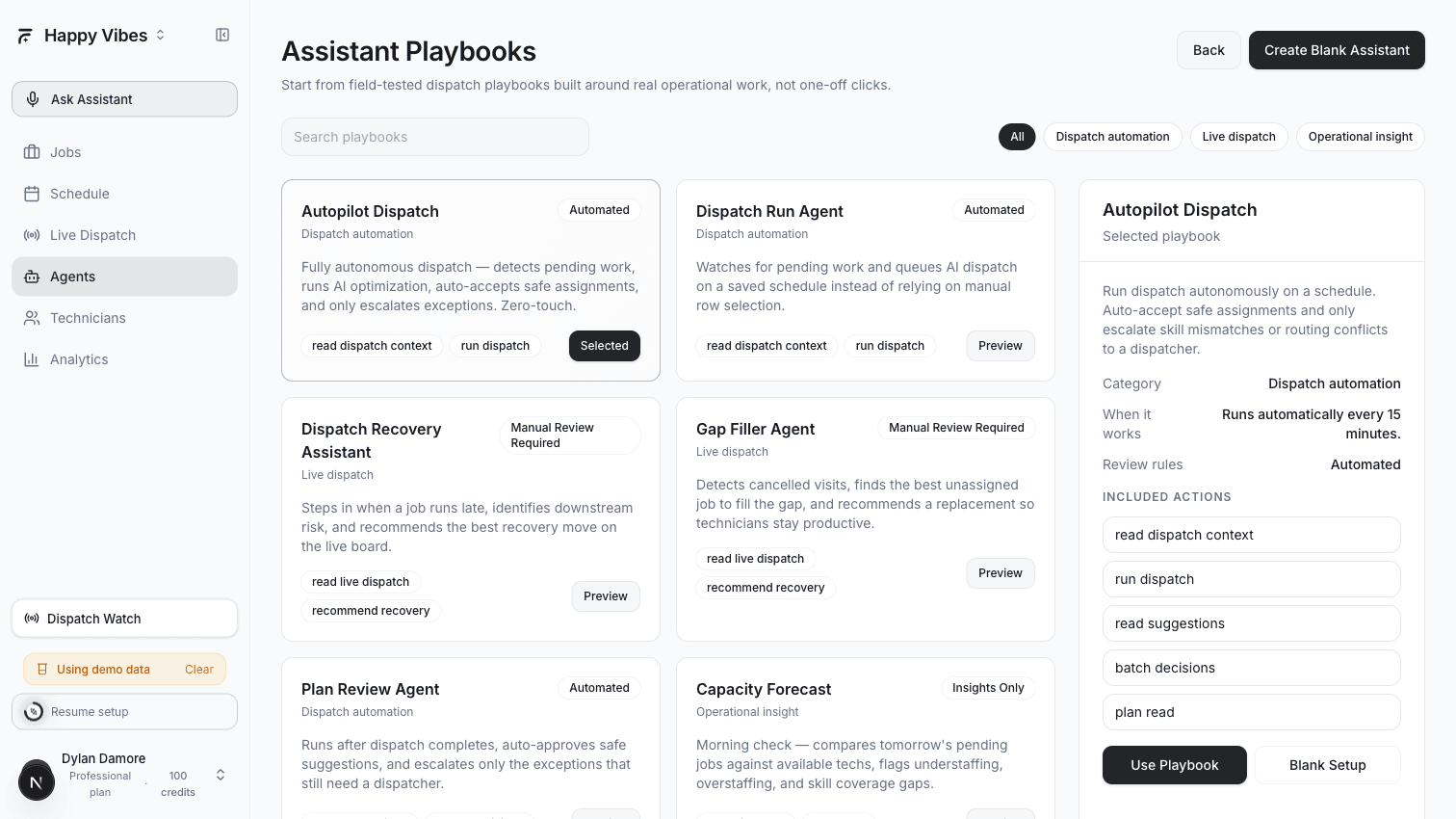
AI Dispatcher includes nine ready-to-use agents, each designed to solve a specific dispatch problem. You do not need all of them. Start with the one that matches your biggest pain point, see how it works for a week, and add more as your team gets comfortable.
Start Here: What Is Your Biggest Problem?
| Your Problem | The Agent That Solves It | Guide |
|---|---|---|
| "I spend hours every morning assigning jobs" | Dispatch Run or Autopilot Dispatch | Automate Daily Dispatch |
| "A tech called in sick and my whole day is ruined" | Dispatch Recovery | Handle Late Jobs and Cancellations |
| "A customer cancelled and now there is a gap in the schedule" | Gap Filler | Handle Late Jobs and Cancellations |
| "I have 20 AI suggestions sitting there and no time to review them" | Plan Review | Never Miss a Suggestion |
| "Jobs keep falling through the cracks" | Stale Work Detector | Never Miss a Suggestion |
| "I have no idea if tomorrow is overstaffed or understaffed" | Capacity Forecast | Daily Insights and Forecasting |
| "I leave the office not knowing what got done today" | EOD Reconciliation | Daily Insights and Forecasting |
| "I want a weekly summary without running reports" | Ops Analyst | Daily Insights and Forecasting |
Agent Categories
Agents are grouped into three categories based on what they do:
Dispatch Automation
These agents handle the core work of assigning jobs to technicians. They replace the manual process of looking at the board, picking a job, finding the right tech, and clicking assign.
- Dispatch Run Agent — Runs AI dispatch on a schedule (every 15 minutes, hourly, etc.) instead of waiting for you to manually trigger it
- Autopilot Dispatch — The fully autonomous version. Runs dispatch, reviews the results, auto-accepts safe assignments, and only escalates exceptions to you
Live Dispatch
These agents respond to real-time disruptions — the things that happen after the morning plan is set and the day goes sideways.
- Dispatch Recovery — Watches for late-running jobs and recommends the least disruptive fix before downstream jobs are affected
- Gap Filler — When a job gets cancelled, it immediately scores unassigned jobs and recommends the best replacement to keep the technician productive
Operational Insight
These agents do not move jobs or assign technicians. They analyze your data and surface information you would otherwise miss.
- Plan Review — Reviews AI suggestions after dispatch completes, auto-approves the safe ones, and escalates only the exceptions
- Stale Work Detector — Finds jobs stuck in pending for 48+ hours, suggestions nobody acted on, and rejected visits that were never re-dispatched
- EOD Reconciliation — Runs 30 minutes before shift end and builds a list of everything unfinished
- Capacity Forecast — Morning check that compares tomorrow's pending jobs against available technicians
- Ops Analyst — Produces recurring operational summaries so you do not have to scan multiple screens
How Agents Work
Every agent follows the same pattern:
- Trigger — Something starts the agent. Either a schedule (every 15 minutes, daily at 6am) or an event (job cancelled, tech running late)
- Analyze — The agent reads your dispatch board, job queue, technician schedules, and any relevant data
- Act or Recommend — Depending on the agent type, it either takes action automatically (Autopilot) or creates a recommendation for your review (Recovery, Gap Filler)
- Report — Every run is logged with a summary and stats. You can see exactly what happened in the agent's run history
Agents respect your plan limits. The number of agents you can run, and how many runs each gets per day, depends on your plan. See your plan details in Settings for exact limits.
Setting Up Your First Agent
The fastest way to get started:
- Go to the Agents page in AI Dispatcher
- Click Playbooks to see the available agent templates
- Pick the one that matches your biggest problem (use the table above)
- Click Select on the playbook card
- Review the default configuration — most defaults work well out of the box
- Click Create to save the agent as a Draft
- Monitor the Draft for a few days, then switch to Active when you are confident
For detailed setup instructions, follow the guide for your chosen agent:
Set up Dispatch Run or Autopilot to assign jobs automatically.
Set up Recovery and Gap Filler for real-time disruption handling.
Set up Plan Review and Stale Work Detector to catch forgotten work.
Set up EOD Reconciliation, Capacity Forecast, and Ops Analyst.
Related Articles
- Dispatch Assistants (AI Agents) — How assistants, playbooks, and guardrails work
- Accepting or Rejecting AI Suggestions
- Analytics Dashboard