 FieldCamp
Handling Schedule Conflicts and Overlaps in AI Dispatcher
Understand how FieldCamp detects time overlaps, insufficient travel time, and time window deviations, and learn how to resolve each conflict type before dispatching.
Understanding Schedule Conflicts in FieldCamp
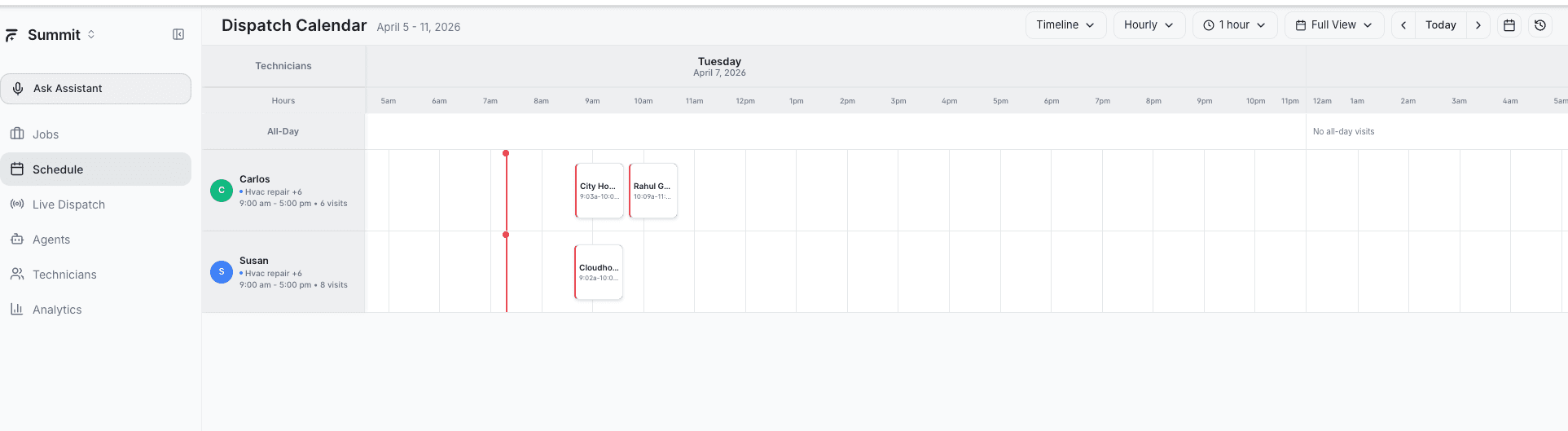
FieldCamp's AI Dispatcher automatically detects scheduling conflicts to prevent double-booking, missed appointments, and impossible travel scenarios. Understanding conflict types, severity levels, and resolution options helps dispatchers maintain efficient schedules while keeping customers happy.
When reviewing AI suggestions, conflicts appear as colored indicators on suggestion cards. Critical conflicts must be resolved before you accept a suggestion.
Conflict Types
1. Time Overlap (CRITICAL)
Occurs when a technician is scheduled for two jobs at the same time. This is a hard constraint that must be resolved.
Example: Mike is scheduled for an HVAC maintenance job from 9:00 AM to 11:00 AM, but another emergency furnace repair is also scheduled from 10:30 AM to 12:00 PM. The 90-minute overlap means Mike cannot attend both appointments.
Impact: The technician will miss one or both appointments. Customer notifications are required immediately.
2. Insufficient Travel Time (CRITICAL)
The system calculates actual driving time between consecutive jobs using real route data. When travel time exceeds the gap between appointments, the technician will arrive late.
Example: Sarah finishes a plumbing repair at 2:00 PM in downtown. Her next water heater installation starts at 2:15 PM, but it's 25 km away requiring 35 minutes of drive time. She'll be 20 minutes late.
Impact: Customer will experience delays. Notification or rescheduling is necessary to maintain service quality.
3. Outside Time Window (Variable Severity)
Customer time windows are soft constraints -- preferences rather than requirements. For more on how the AI optimizes around these windows, see our guide on time window optimization. FieldCamp uses business days (excluding weekends) to calculate severity:
- 0-1 business days: OK/INFO -- Minimal deviation, typically acceptable
- 2-3 business days: INFO -- Minor deviation, good to know
- 4-7 business days: WARNING -- Moderate deviation, should review
- 8+ business days: CRITICAL -- Significant deviation, needs attention
Example: A customer requests HVAC service between Tuesday 9 AM and Friday 5 PM. FieldCamp schedules it for the following Monday at 10 AM -- 2 business days late (INFO level). The customer requested a 4-day window, so this minor deviation is usually acceptable.
4. Overtime Considerations
While not explicitly flagged as a conflict type, the system tracks total working hours per day. When the first job starts at 8:00 AM and the last job ends at 7:00 PM, dispatchers should review whether the 11-hour day is sustainable and compliant with labor policies. Check technician utilization on the Live Dispatch timeline to spot overloaded schedules early.
Severity Levels Explained
CRITICAL (Red)
Hard constraints that must be fixed before approval. These represent impossible scenarios or significant customer impact.
- Time overlaps between jobs
- Insufficient travel time (technician will be late)
- Time window deviation of 8+ business days
Recommendation: DO NOT APPROVE. Resolve before dispatching.
WARNING (Yellow)
Situations requiring dispatcher review. Not impossible, but may cause problems.
- Time window deviation of 4-7 business days
- Very tight schedules with minimal buffer time
Recommendation: REVIEW carefully. Consider calling customer to confirm availability.
INFO (Blue)
Informational notes about minor deviations from preferences. Safe to approve with awareness.
- Time window deviation of 2-3 business days
- Scheduling notes that don't impact feasibility
Recommendation: APPROVE. Minor preference deviation, typically acceptable.
OK (Green)
Perfect match with no conflicts or deviations.
Recommendation: APPROVE confidently.
When using Auto Mode, critical conflicts are never auto-accepted regardless of the confidence score. They always require manual review and resolution.
Resolution Options
For Time Overlaps
- Reschedule one job: Move the lower-priority appointment to another time slot
- Reassign: Transfer one job to another available technician
- Adjust duration: If possible, reduce service time on one job to eliminate overlap
For Insufficient Travel Time
- Add buffer time: Delay the second job's start time to accommodate travel
- Route optimization: Ask the AI to re-optimize the entire day's route
- Notify customer: If the delay is minor (10-15 minutes), inform the customer proactively
- Reassign strategically: Swap jobs with another technician in the area
For Time Window Deviations
- INFO level: Approve and proceed -- customer windows are preferences
- WARNING level: Call customer to confirm availability before dispatching
- CRITICAL level: Reschedule within the customer's preferred window or negotiate a new time
Best Practices
- Review conflicts daily -- check each technician's schedule on the Live Dispatch page for red and yellow flags before shift start
- Prioritize critical conflicts -- fix time overlaps and impossible travel scenarios immediately
- Communicate proactively -- when deviations occur, notify customers early rather than showing up unexpected
- Trust the AI for soft constraints -- customer time windows are preferences, and minor deviations (INFO level) are acceptable and often unavoidable in busy schedules
- Use technician context -- consider total hours, job count, and travel patterns when approving schedules
- Verify skills and capabilities are current -- outdated skill profiles lead to mismatches that surface as conflicts during review
If you see the same conflict type recurring for a specific technician, it may indicate their capacity planning settings need adjustment. Reducing their daily job limit or extending buffer times between jobs can prevent repeat issues.
Related Articles
- Live Dispatch Map and Timeline View
- Accepting or Rejecting AI Dispatch Suggestions
- Reviewing AI Suggestions
- Understanding Capacity Planning
- Submitting a Job for AI Dispatch
Further Reading
- Time Window Optimization — How AI balances customer time preferences with operational efficiency
- Emergency Job Handling — Strategies for fitting urgent jobs into an existing schedule without disrupting the day
Accepting or Rejecting AI Dispatch Suggestions
Learn how to accept, reject, or batch-process AI dispatch suggestions, use Auto Mode for hands-free approvals, and how rejection history improves future recommendations.
Which Agent Is Right for You? | AI Dispatcher
Find the right AI dispatch agent for your operation. Match your biggest scheduling pain point to the agent that solves it — from fully autonomous dispatch to end-of-day audits.