 FieldCamp
Recurring Booking for Online Booking | FieldCamp
Let customers book recurring services like weekly, bi-weekly, or monthly appointments through your FieldCamp online booking widget with automated scheduling.
Recurring booking lets your customers schedule services on a repeating basis directly through your online booking widget. Instead of rebooking each time, customers select a frequency and FieldCamp creates a recurring job automatically. Ideal for maintenance, cleaning, landscaping, or any service on a predictable schedule.
To enable recurring booking, go to Settings → Online Booking → Setup and select Recurring Job under Booking Type.
How It Works
When you select Recurring Job as the booking type, a Recurring step is automatically added to your booking flow. Customers choose their preferred frequency after selecting a service:
- Weekly — the service repeats every week.
- Bi-weekly — the service repeats every two weeks.
- Monthly — the service repeats once a month.
- One-time — a single appointment with no recurrence.
FieldCamp then creates a recurring job based on the customer's selection, generating upcoming visits on the defined schedule.
Recurring booking is also how customers sign up for a maintenance plan or membership. When the plan is modeled as a service agreement, the recurring job the booking creates can be linked back to that plan record automatically with an automation — so the work shows up on the plan with no manual step.
Configuring Frequency Options
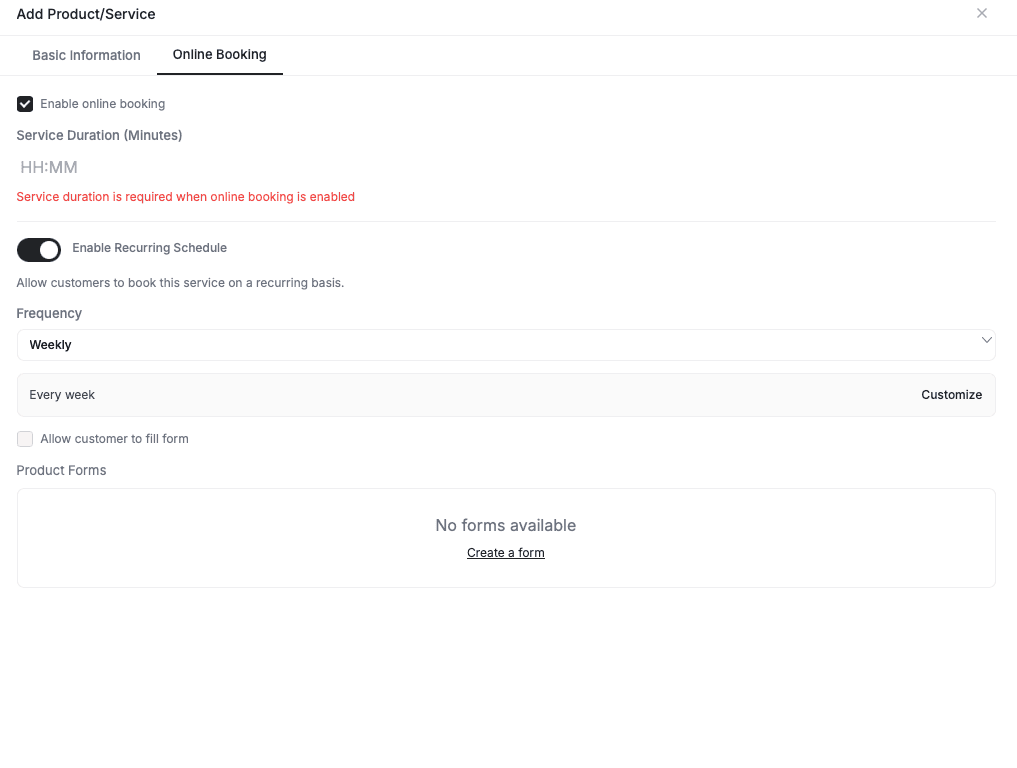
Frequency options are configured per product or service, not globally. Before customers can book recurring services, you need to set which frequencies each service supports.
- Go to Products & Services.
- Open the product or service you want to offer on a recurring basis.
- In the product settings, enable the available frequency options (weekly, bi-weekly, monthly, one-time).
If a service does not have any frequency options set, the recurring step will not appear for that service during booking. Make sure to configure frequencies before enabling recurring booking.
The Customer Experience
- Select a service — the customer browses your available services.
- Choose a frequency — the Recurring step presents the frequency options you configured for that service.
- Complete the booking — the customer finishes the remaining steps (scheduling, contact info, confirmation). FieldCamp creates a recurring job automatically.
Related Articles
- Setting Up Online Booking — get your booking widget up and running.
- Booking Steps Configuration — customize which steps appear in your booking flow.
- How to Schedule Jobs — learn about job scheduling and recurring jobs.
- Products & Services — manage your service catalog and configure frequency options.
- Service Agreements — model recurring maintenance plans and memberships, and link booked jobs back to them.
Arrival Windows with Provider-Based Capacity | FieldCamp
Set up arrival windows with automatic provider-based capacity in FieldCamp. The system calculates available slots from service duration, travel time, and team size.
Adding the Booking Widget to Your Website | FieldCamp
Embed the FieldCamp online booking widget on your website with four deploy modes, preview the layout, and let customers book services 24/7.