 FieldCamp
What is FieldCamp?
FieldCamp is an AI-powered field service management platform. Manage clients, jobs, invoices, scheduling, and your team from one place — or just ask the AI.
Under the hood — see how Team Members work in the FieldCamp data model: the fields they hold, how they connect to your other records, and how to customize them.
FieldCamp is an AI-powered field service management platform. It replaces spreadsheets, paper forms, and disconnected tools with a single workspace your entire team can use from anywhere.
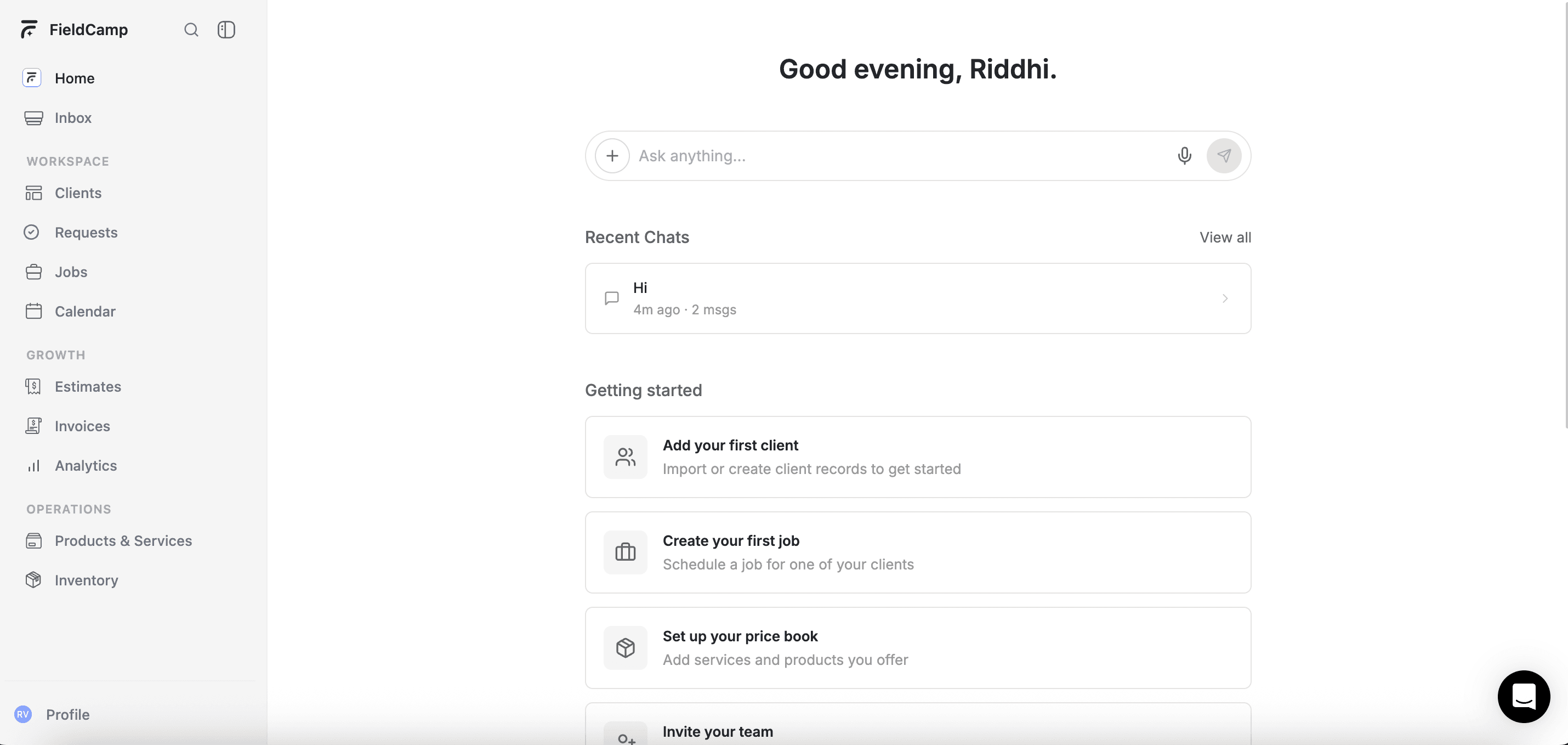
The heart of FieldCamp is the Command Centre — an AI chat interface where you can create jobs, look up clients, send invoices, and more by simply typing what you need.
Who is FieldCamp for?
FieldCamp is built for field service businesses of all sizes — HVAC, plumbing, electrical, cleaning, landscaping, pest control, and any trade that sends technicians to customer locations.
Whether you are a solo operator or manage a team of 50+ technicians, FieldCamp scales with your business.
Core modules
| Module | What it does |
|---|---|
| Clients | Store customer info, properties, and service history |
| Requests | Capture incoming service requests from any channel |
| Jobs | Schedule, assign, and track field work |
| Calendar | Visual scheduling with Timeline, Map, and Resource views |
| Estimates | Create and send professional quotes |
| Invoices | Bill customers and collect payments |
| Online Booking | Let customers book appointments from your website |
| Analytics | Track business performance with dashboards and reports |
| Live Tracking | Real-time team location on a map |
| Workflow Automation | Automate emails, notifications, and follow-ups |
AI-first design
FieldCamp is built around AI. The Command Centre lets you manage your business through natural conversation — type "schedule a plumbing job for tomorrow at 10 AM" and the AI handles the rest. Behind the scenes, AI Skills power smart suggestions, auto-dispatching, and more.
Pricing is custom to your team and workflow. Book a demo for a custom quote and we will size a plan around your operation.
Where to access FieldCamp
- Web: app.fieldcamp.ai — works on Chrome, Safari, Firefox, and Edge
- iOS: Download from the App Store
- Android: Download from the Play Store
Next steps
- Create your account — takes less than 2 minutes
- Quick Start guide — set up your company, schedule, and team
- Key Concepts — understand how Clients, Jobs, Requests, and Invoices work together
FieldCamp Documentation
Complete FieldCamp documentation hub — field service management, AI Dispatcher, online booking, integrations, workflow automation, and more for your business.
Create Your Account
Sign up for FieldCamp in under two minutes. Create your account and land in the AI Command Centre dashboard.