 FieldCamp
AI Booking Assistant Training | FieldCamp
Train your FieldCamp booking assistant on business info using documents, websites, and custom text so it answers customer questions accurately every time.
The Knowledge tab lets you train your AI booking assistant on your business-specific information. Upload documents, add website URLs, or paste custom text — the assistant draws from these sources to answer customer questions accurately during booking conversations.
To get started, go to Settings → Online Booking → Knowledge.
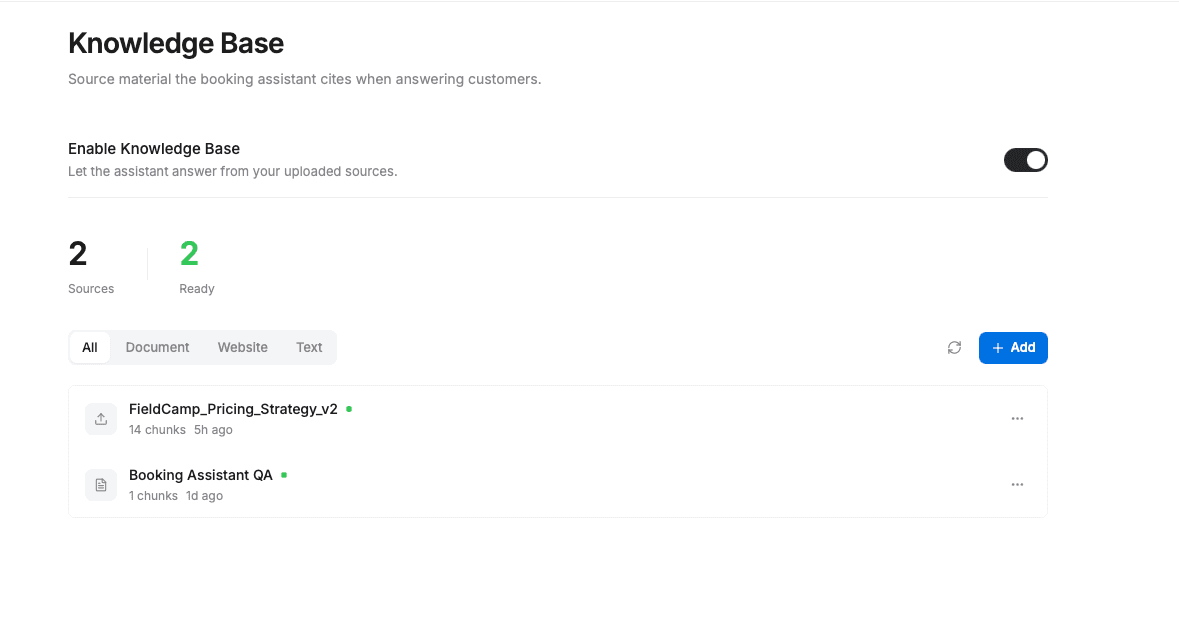
The Knowledge tab is available to admin users only.
Adding Knowledge Sources
Click + Add to add a new source. Three types of content are supported:
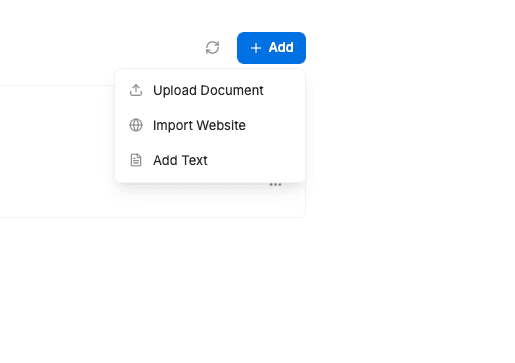
- Document Upload — upload PDFs, Word documents, or text files containing business information. Ideal for service guides, pricing sheets, FAQs, or company policies.
- Website URL — provide a URL for the assistant to crawl and learn from. Useful if your website already covers services, coverage areas, or FAQs in detail.
- Text Content — paste custom text directly. Use this for quick additions like FAQ answers, special instructions, or business details.
Managing Sources
Each knowledge source shows its current status and available actions:
- Status — each source displays whether it is trained (ready for the assistant to use) or pending (still being processed).
- Content Preview — see a summary of what was extracted from each source.
- Retrain — reprocess a source if you have updated the original content.
- Delete — remove a source you no longer need.
Use the filter tabs (All, Document, Website, Text) to view sources by type.
Keep your sources up to date. Retrain sources whenever your services, pricing, or policies change so the assistant always provides accurate answers.
Related Articles
- AI Chat Assistant Setup — configure the AI assistant that powers your booking chat.
- Playbooks & Conversation Rules — define rules that guide the assistant's tone and behavior.
- Setting Up Online Booking — get started with FieldCamp's online booking system.
Playbooks & Conversation Rules | FieldCamp
Create playbooks to control your FieldCamp booking assistant's conversation tone, allowed topics, qualification flow, and customer interaction rules for leads.
Booking AI Knowledge Base & Personas | FieldCamp
Configure your FieldCamp booking AI knowledge base, set up the assistant persona, install playbooks, and retrain sources so the assistant always answers accurately.